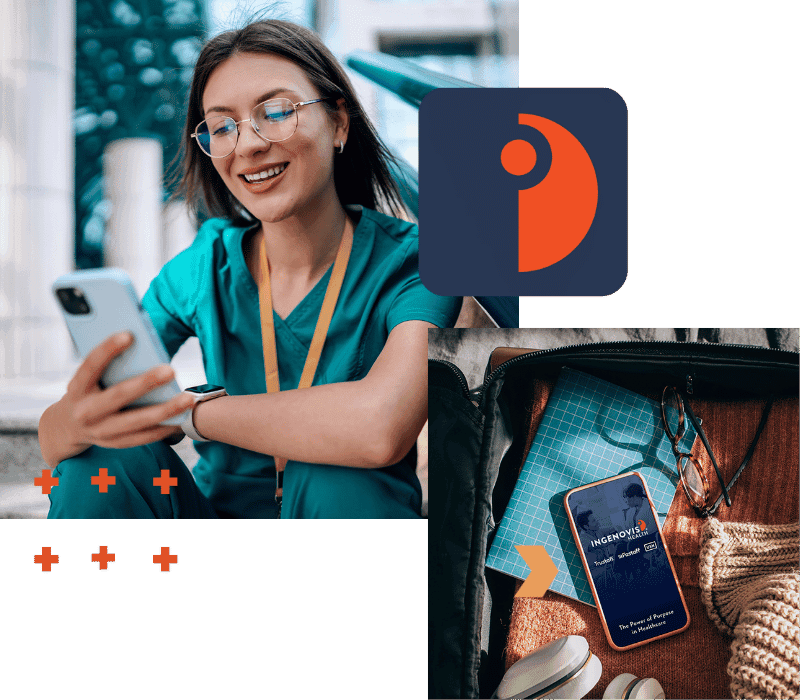
Download the Ingenovis Health Mobile App for Travel Nurses and Healthcare Professionals
Built for healthcare professionals on the go, the Ingenovis Health Mobile App makes it easier to search jobs, manage credentials, stay connected with recruiters and discover new opportunities across the Ingenovis Health family of companies.
A Simpler Way to Manage Your Healthcare Career:
🚀 Search Jobs Faster
Find healthcare jobs that match your specialty and preferences with enhanced search options.
✅ Stay Application-Ready
Easily update your profile, work history and credentials so you're prepared when new opportunities arise.
🗂 Manage Credentials Anywhere
Upload and organize licenses, certifications and required documents directly from your mobile device.
🌎 Access More Opportunities
Explore jobs across the Ingenovis Health family with one account—no more juggling multiple profiles.
🚨 Instant Job Alerts
Whether it's the perfect job in the perfect town or a high-paying crisis job, get notified as new opportunities open.
🪴 Benefits at Your Fingertips
Once you're on assignment, access critical info about employee benefits, timesheets, clinical support and more.
See What Real Healthcare Professionals Are Saying
⭐⭐⭐⭐⭐ "The app makes it incredibly easy to navigate through and apply for available positions. I set just set my search and go." —Stacey S., RRT
⭐⭐⭐⭐⭐ "I like this much better than trying to update my resume line by line in my browser. It always took forever and this makes it easy." —Jane S., Travel RN
⭐⭐⭐⭐⭐ "I've worked for this company for years and using the mobile app is a level up. I feel more secure uploading my documents instead of sending them in email." —Helen N., RN
⭐⭐⭐⭐⭐ "I like getting an alert new jobs come out. I've been trying to get an assignment in Hawaii, and they move so fast!" —Samantha K., RN
⭐⭐⭐⭐⭐ "This is basically the updated Fastaff and USN mobile app combined with Trustaff. I love that now I don't have to do the same paperwork over and over." Juanita C., RN
⭐⭐⭐⭐⭐ "Very easy to search and I like that you can see the pay right on the jobs." —Carrie W., LPN
Profile Management FAQs
Why is maintaining an updated healthcare profile important?
For certain types of jobs, like travel assignments, resumes are not the standard. Instead, you complete a professional profile with the hiring company, which is then submitted for consideration at each facility where you're considering traveling. That profile becomes your "foot in the door" to future jobs, so it's critical that it is accurate and up-to-date. Without a complete profile, you may miss out on fast-moving jobs.
An updated profile helps recruiters identify opportunities that align with your experience, skills and career goals. When your information is current, it becomes easier to match you with relevant healthcare jobs, travel nursing assignments and other opportunities that fit your qualifications.
Keeping your profile updated can also help streamline the application process and reduce delays caused by outdated information or missing details.
Can I update my profile from my phone?
Yes. The Ingenovis Health Mobile App allows you to update your professional profile directly from your mobile device. You can add new assignments, certifications, licenses, skills, references, and other career information whenever your experience changes.
Unlike many healthcare staffing platforms, the Ingenovis Health Mobile App allows you to maintain a single profile across participating Ingenovis Health brands, helping you access more opportunities without managing multiple accounts.
Can I upload my resume to the app?
Yes. You can upload your resume directly through the Ingenovis Health Mobile App and use it as a foundation for building and maintaining your professional healthcare profile. If you have an existing resume, it's a great way to save time when first completing your profile.
Can I use one profile across multiple Ingenovis Health brands?
Yes. The Ingenovis Health Mobile App uses a single profile and login experience across participating Ingenovis Health brands, making it easier to access more healthcare job opportunities while reducing duplicate data entry. No more juggling multiple profiles or uploading the same documents over and over; the app puts more types of jobs at your fingertips with a single profile.
What information should I keep updated in my profile?
To help ensure you're visible for relevant opportunities, it's a good idea to keep the following information current:
Work history and recent assignments
Licenses and certifications
Clinical skills and specialties
References
Location and assignment preferences
Contact information
Regular updates can help recruiters match you with opportunities that align with your current experience and career goals.
How does a complete profile help recruiters find the right opportunities for me?
Recruiters rely on profile information to understand your experience, certifications, specialties, location preferences and career goals. The more complete your profile is, the easier it is for recruiters to identify opportunities that match your qualifications.
Your profile is the basis of what hiring managers will see. They'll use that information to gauge your fit to their unit, so it's important that it be as accurate as possible.
If you have a particular skillset that's in high demand, putting it on your profile helps you stand out.
A detailed profile can help recruiters reach out about relevant opportunities you may not have discovered on your own. Jobs open and close very quickly, and your recruiter will be able to clue you in to openings that may not have hit the mobile app yet, or recommend you to specific hiring managers at premier facilities.
Do I need a computer to manager my healthcare profile?
No. The Ingenovis Health Mobile App is designed to help healthcare professionals manage their careers from anywhere. You can update your profile, upload documents, add certifications, review opportunities and communicate with recruiters directly from your phone without needing to sit down at a computer.
This flexibility is especially valuable for travel nurses and clinicians who may be working nontraditional schedules, traveling between assignments or spending time away from home and can be a major advantage in your job search.
Healthcare Career Management FAQs
How can healthcare professionals manage their careers from a phone?
Modern mobile tools allow healthcare professionals to complete most career management tasks directly from their phones. This can include searching healthcare jobs, updating professional profiles, uploading credentials, communicating with recruiters, applying for new opportunities and managing the daily employment tasks once on assignment.
Mobile access makes it easier to stay connected to your career any time, any place without needing to pause your busy lifestyle to be at a computer.
Why should healthcare professionals use a mobile career app?
Healthcare careers don't always fit neatly into a traditional 9-to-5 schedule. Nurses, allied health professionals and other clinicians often work long shifts, nights, weekends and juggle a busy schedule. As a result, important career tasks such as exploring new opportunities, updating professional information, responding to recruiters or managing credentials may need to happen whenever time allows, not just when you're sitting in front of a computer.
A mobile career app gives healthcare professionals greater flexibility and control over their careers by making these tasks accessible from anywhere. Instead of delaying updates or missing opportunities because you're away from a laptop, you can stay connected to your career on your schedule, whether you're between shifts, traveling to your next assignment or simply planning your next professional move.
The best mobile career apps also help reduce the administrative burden of managing a healthcare career by bringing job search, profile management, credential organization and recruiter communication together in one convenient place.
What should I look for in a healthcare job search app?
When evaluating a healthcare career app, look for features that support both job searching and long-term career management, including:
Healthcare job search tools
Profile management
Credential management
Recruiter communication
Job alerts and notifications
Mobile document uploads
Pay visibility and job details
Security and convenience
The best healthcare job search apps help professionals stay organized while providing access to new career opportunities.
Applications & Recruiter FAQs
Can recruiters contact my through the app?
The app helps keep you connected with recruiters throughout your healthcare career journey. Recruiters may contact you regarding opportunities that align with your experience, specialty, location preferences and career goals.
Maintaining a complete and up-to-date profile can help recruiters better understand your qualifications and identify opportunities that may be a good fit.
Will recruiters only contact me about jobs I apply for?
Not necessarily. Recruiters may also reach out about healthcare jobs and travel nursing opportunities that match your experience, skills and preferences, even if you haven't applied for those specific positions. Keeping your profile updated can improve your visibility and help recruiters connect you with opportunities you might not have discovered on your own.
Sometimes healthcare jobs open and close within the hour, so you want a recruiter in your corner who can give you the inside edge on jobs that may not have even made it to the website yet. With that in mind, a recruiter will connect with you about the job preferences you select in the app to get a feel for your career goals. That's a great time to let them know how you'd like to be contacted (and how often).
How does the app help recruiters match me to healthcare jobs?
Recruiters use the information in your profile to better understand your experience, certifications, specialties, work history and career preferences. The more complete and current your profile is, the easier it becomes to identify opportunities that align with your qualifications.
By combining profile information, job preferences and recruiter expertise all in one place, the app helps create more meaningful connections between healthcare professionals and potential opportunities.
Can I search for jobs and connect with recruiters at the same time?
Yes. The Ingenovis Health Mobile App is designed to support both independent job searching and recruiter-assisted career exploration. You can browse available healthcare jobs, apply directly to opportunities and communicate with recruiters while managing your profile and credentials from one platform.
As part of the normal job search process, you'll be contacted by a recruiter once you start your profile. From there, you can set expectations about your career goals and communication preferences.
Everyone likes to search a little differently. The mobile app gives healthcare professionals the flexibility to take an active role in their job search while still benefiting from recruiter support and expertise.
Mobile Healthcare Credential Management FAQs
Can I upload healthcare credentials from my phone?
Yes. The app is designed to make credential management mobile and convenient. You can upload licenses, certifications and other required documents directly from your phone, eliminating the need to wait until you're back at a computer to make important updates.
This flexibility is especially valuable for travel nurses and healthcare professionals who may be working irregular schedules, traveling between assignments or frequently away from home.
What documents can I manage in the app?
Healthcare professionals can use the app to manage a variety of career-related documents as part of their profile, including:
Professional licenses
Certifications
Resume and career documents
Credentialing forms
Other required employment and onboarding documents
Maintaining these materials on your mobile device in one location can help reduce administrative work and improve organization throughout your job search and career journey.
How does digital credential management help healthcare professionals?
Digital credential management allows healthcare professionals to keep important career documents organized, accessible and up to date. Instead of searching through email folders, cloud storage or paper files, clinicians can maintain critical documents within a centralized platform.
Having quick access to credentials can help simplify onboarding, support faster applications and make it easier to respond to recruiter requests.
Take the Next Step in Your Healthcare Career
Search healthcare jobs, explore travel nursing opportunities, manage credentials, update your professional profile, and connect with recruiters from one convenient mobile platform. Download the Ingenovis Health Mobile App today and take control of your healthcare career wherever it takes you.
Get started by downloading the app from the App Store or Google Play.